
Searching Cases by Name
Every public Bollinger search starts at Missouri Case.net. That is one statewide system. There is no separate county database. Litigant Name Search fits when you know a party name but lack the case number. The name must belong to a litigant, though, since a witness, victim, or child tied to a case may not be searchable, and protected cases can stay out of public results entirely.
- Open Case.net from the official Missouri Courts entry and choose Litigant Name Search. Avoid similarly named third-party pages.
- Enter the last name as it appears on the court filing. Add first and middle information when available instead of using a nickname.
- Choose Bollinger County or the 32nd Judicial Circuit when that location selector is available. A statewide common-name search can return too many cases to review safely.
- Use alias information only when it helps with a documented alternate spelling. It can increase the result set.
- Select Find or Search, open a likely case number, and verify the county, court or division, filing date, style, and party role before relying on the result.
- Open the Case Header, then the Docket Entries tab. Read the entry date, label, event, and any public hyperlink in order.
| Field label or control | Type | Required | Relevant Case.net use |
|---|---|---|---|
| Litigant Name Search | Tab or button | No | Starts the party-name route. |
| Last Name | Text | Search-dependent | Use the exact litigant spelling where possible. |
| First Name | Text | Optional or search-dependent | Helps narrow a common surname. |
| Middle Name or Initial | Text | Optional | Further narrows the public result set. |
| Business Name | Text | Optional | Search a party or business style where the live screen offers it. |
| Include Alias Information | Checkbox where offered | Optional | Can help with alternate spellings; verify the live form. |
| Search Location, County, or Circuit | Dropdown | Optional, strongly recommended | Select Bollinger County or the 32nd Circuit when available. |
| Find or Search | Button | Final action | The official public guide uses Find; other modes may say Search. |
Bollinger Case Search Paths
Case.net gives you several doors into the same court records. The official public guide lists Litigant Name Search, Filing Date Search, Case Number Search, and Scheduled Hearings & Trials Search. Current navigation also exposes Judgment Index. A Bollinger or 32nd Circuit filter appears in the views that supply a location control.
No name or case number at hand? Pick Filing Date Search when a filing period is known. Start narrow. One warning: a filing date is not the incident date. It is not a hearing date, and not the date judgment was entered. For calendar work, use Scheduled Hearings & Trials Search. Remember, Judgment Index covers final judgments rather than a full active docket.
Bollinger Case Search Name Matches
A long statewide list is a cue to narrow it. The first hit may not be the right one. Choose the Bollinger or 32nd Circuit location when it is offered. Add a first or middle name. Then open the record and compare the case style, filing date, court, and party role before trusting the match. One name can attach to more than one public case, case type, or county. That is why these checks matter.
Name-search limit. Case.net requires the named person to be a litigant. A protected person or a non-party may not appear, and a public name search is not a complete account of all matters involving that person.
Searching by Case Number
Case Number Search is the fastest path. Use it when a notice, ticket, order, or clerk letter carries the exact number. Missouri's newer construct starts with a two-digit year. It adds a location identifier, a case-category code, a five-digit sequence, and a two-digit subcase code. A model of the Bollinger build is YY-LOCATION-CR-00001-00. The court assigns the location piece, so never invent a code for it.
Type the number exactly as it was given. Older matters may sit in converted or interim formats. For less-serious traffic, civil-infraction, watercraft, or conservation cases, a uniform citation number can serve as the file number. A municipal transfer may get a new case number. An X suffix can mark a bound-over, transferred, or trial-de-novo matter. If punctuation or an old number keeps failing, call the clerk instead of guessing at variations.
Bollinger Case Search Codes
The category inside a case number tells you the record type before the docket even opens. Missouri materials list CR criminal, TR traffic, IN infraction, CV civil, JU juvenile, PR probate, MU municipal ordinance, CY county ordinance, MC miscellaneous, JR juvenile referral, TC treatment court, and JZ juvenile miscellaneous. Optional codes add more detail. They include CC circuit civil, AC associate civil, SC small claims, DR domestic relations, PN protection order, FC family court, AD child-support administrative order, ML mechanics or materialmen lien, TJ transcript judgment, and MH mental health.
Older formats use single letters at times. They can show T traffic, M misdemeanor, F felony, P probate, MT municipal traffic, MO municipal ordinance, or TC treatment court. Treat any category as a routing clue only. A familiar-looking code grants no access rights. Juvenile, mental-health, treatment-court, and other protected matters can be restricted anyway.
Bollinger Case Search Filing Dates
Filing Date Search earns its keep. Use it when neither a case number nor a party name is available. Apply the local court filter when it appears. Then work a narrow window and read the returned case number, style, filing date, and category. The filing date simply marks when the matter was filed or entered with the court. It is not the date of an event, a hearing, or a final outcome.
A recent filing can also drop out of public results for ordinary reasons. The name may be misspelled, the entry may not yet be posted, the wrong location may be selected, or the case may be protected. The screen may come back blank. Ask the Bollinger County Circuit Clerk which lawful local channel applies. Do not draw conclusions from an empty search.
What a Case Search Returns
Clicking a public result usually opens a Case Header and a Docket Entries tab. The header names the matter. The docket is the date-ordered record of filings, events, settings, and outcomes. When an entry carries a hyperlink, an electronic document is attached. It is viewable for that person. An entry with no link may simply lack an attachment. A security limit may also be in play.
| Case number | The Missouri number construct or, in some cases, a uniform citation number. |
|---|---|
| Filing date | The date the case was filed or entered, which differs from an incident or hearing date. |
| Court and division | The circuit, associate, probate, juvenile, municipal, or other division that holds the record. |
| Style and parties | The case caption and public party roles, with attorneys where entered and permitted. |
| Case type and charge or cause | The category plus a criminal or traffic charge, or a civil case type or cause where displayed. |
| Judge and settings | The assigned judge when shown, plus public dates, times, locations, and setting types. |
| Docket entries | Date-ordered events, notices, filings, and accessible document hyperlinks. |
| Disposition and financials | Outcome, sentence, judgment, costs, fines, bond, or payment activity where recorded by the division. |
| E-CASE and security | E-CASE indicates an electronic record; restrictions and redactions can limit fields or documents. |
Bollinger Case Search Docket Entries
The Docket Entries tab turns a case search into something you can actually use. Think of it as the court's chronological register. It is not a summary. Reading from the newest entry backward works well when you want a current setting or outcome. Each docket entry might record a motion. It might also hold an order, a notice, a continuance, a judgment, a dismissal, a sentence, or an appeal step. Keep in mind that a motion entry marks a request, not a ruling.
"E-CASE" tells you the case lives in an electronic court record. There is no paper file behind it. That label does not promise remote access to every document. Per the Missouri File Viewer Help, a hyperlink signals an attached document. The viewer can display it. Whether the public sees it still hinges on the document's date and security level.
Statewide vs County Case Search
This is not a choice between two separate databases. Case.net serves as Missouri's statewide portal. Bollinger County hosts no public docket database of its own apart from it. The county layer really means two things. One is the Bollinger filter inside Case.net. The other is the Circuit Clerk's counter, phone routing, and public terminal. Search statewide to locate public cases first. Then lean on local channels when the online record leaves you needing a location, a document, or an access check.
| Missouri Case.net statewide portal | Bollinger County local access |
|---|---|
| Searches public Missouri court information through name, filing date, case number, calendar, and judgment paths. | Has no separately published county web database in the official sources reviewed. |
| Use the Bollinger County or 32nd Circuit filter where the selected search mode provides it. | Call the Circuit Clerk for the correct division: extension 6 for circuit-side routing and extension 4 for associate, municipal or traffic, probate, and small claims. |
| Provides the public Case Header, Docket Entries, and eligible remote documents. | Provides the counter and public-access terminal for records not visible remotely or for confirmed local procedure. |
| Best for locating a known public case or narrowing a statewide search. | Best for current local routing, older material, certified-copy procedure, and lawful access questions. |
Bollinger Case Search Documents
Public docket access and public document access are different doors. Under Missouri's rollout schedule, eligible public documents filed on or after July 1, 2023 opened up remotely, while older filings and secure material can still require a courthouse terminal or the clerk's counter. Public users lack the security rights that registered eFiling attorneys hold. A screen print is not a certified copy either.
For restricted-record access, the official Missouri expungement statute sets out the governing framework.
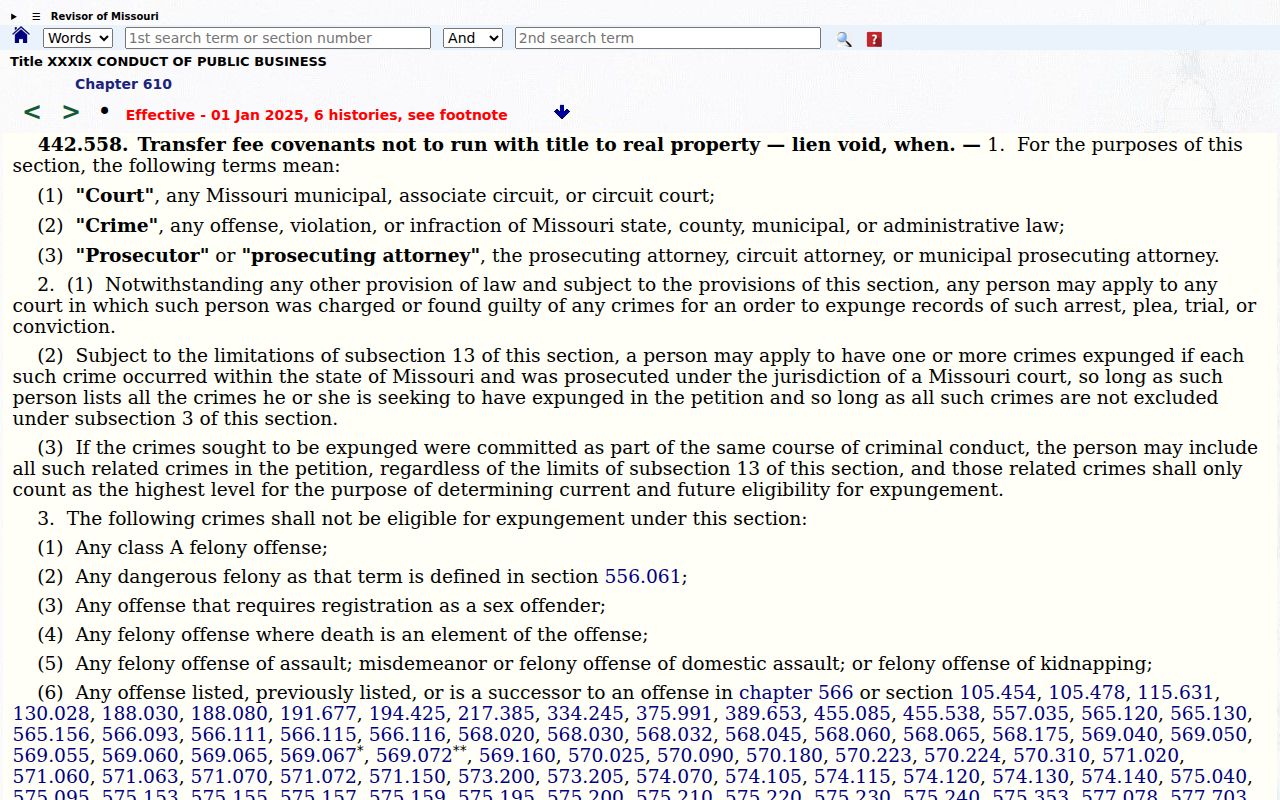
That statute explains why a missing document or empty case result is not an ordinary public-record gap. The public terminal can display statewide cases and documents that stay invisible remotely. Even so, it will not unlock confidential material for an unauthorized user.
Bollinger Case Search Clerk Check
When a search stops answering your question, the Circuit Clerk keeps the local record. Ask staff about the right division, the case number, the Docket Entries tab, a document's security level, the copy process, or the current setting. They can point you to the public process. They will not interpret the law for you. The official court locator routes circuit civil, criminal, domestic, and juvenile matters to extension 6. Associate, municipal or traffic, probate, and small claims matters go to extension 4.
Need an older public document or hitting a remote-access limit? Ask for the "public access terminal" or the "Case.net public terminal." Skip requests for a private staff login. If you need a certified copy, ask the clerk for the current fee and certification steps. A Case.net view is not the official certified record.
Access and Restricted Cases
A typical public case can display the case number, court or division, filing date, style, parties, docket entries, settings, judgment, and selected documents. Access depends on security and date. Missouri court rules also mandate public-access equipment at the courthouse. Confidential, sealed, and expunged-record rules still cabin that access. Judiciary access rules and statutes govern court records. Missouri's Sunshine Law frames public administrative records instead.
Juvenile proceedings and social records stay confidential under RSMo §211.321. Adoption and protected family material may be closed. So may mental-health records, drug-court records, pre-sentence and probation reports, grand-jury material, certain warrant applications, protected identifiers, and expunged records. Knowing the case number does not let a clerk disclose a protected record.
Bollinger Case Search Gaps
A sealed or expunged Bollinger County case may return no public Case.net result at all. It may show a restricted marker, or a visible case with entries or documents blocked. A no-result search has other explanations too. The matter could be a protected juvenile case, the name may not be entered as a litigant, a recent filing may not yet be entered, the county filter could be wrong, the record may predate remote access, or the spelling is simply off. Track This Case notifications are convenient but unofficial. They never replace docket or clerk confirmation.
When a record is missing, call the Circuit Clerk. Ask whether the issue is a not-yet-entered filing, a juvenile matter, confidentiality, sealing, expungement, or a remote document limit. Then ask what lawful route exists. Never ask staff to reveal protected material. Confidential electronic records may require a court order or statutory authority.